
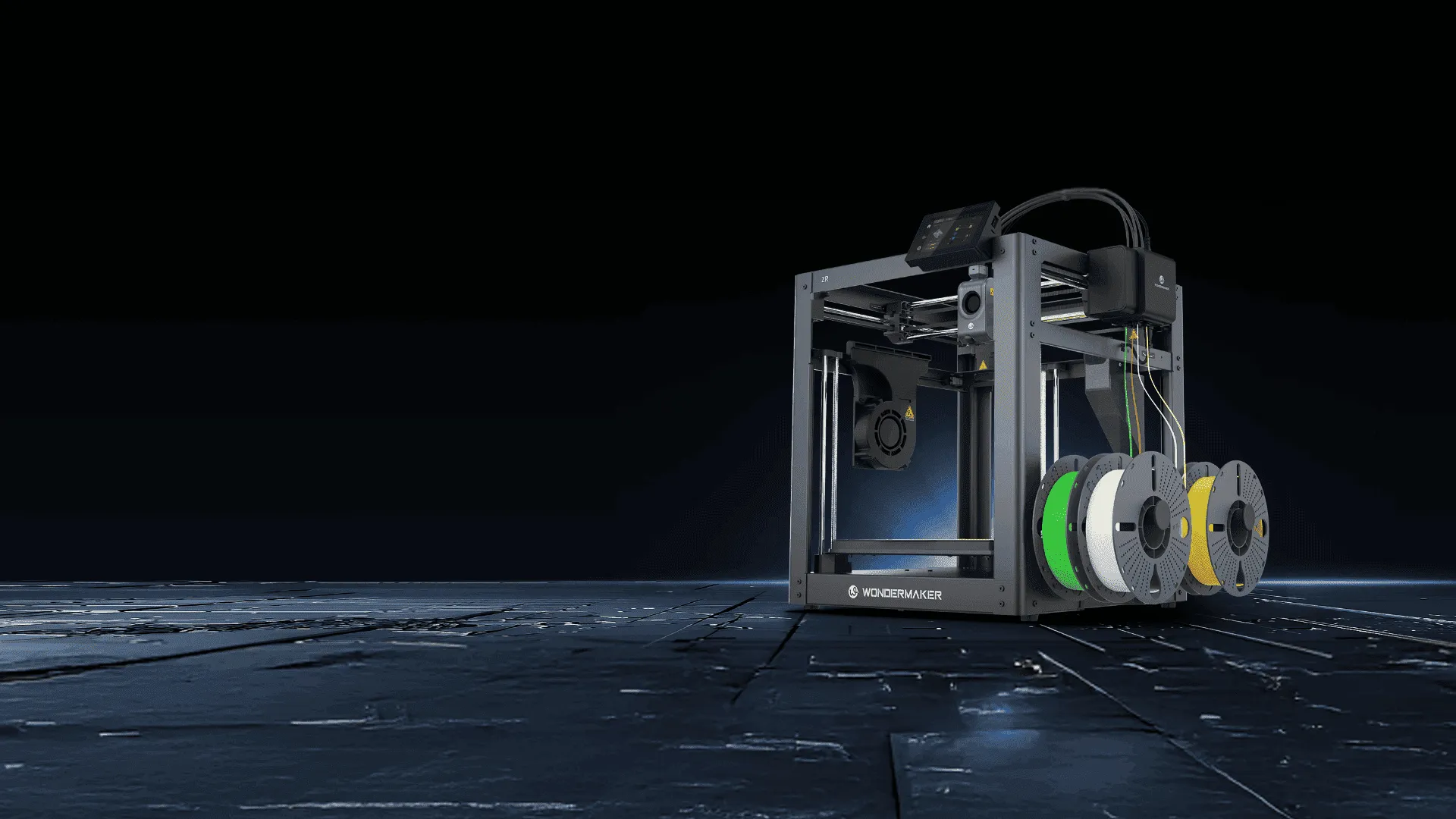
Multi-color 3D printing has become increasingly useful for prototyping, product visualization, educational models, functional parts, and creative projects. However, choosing the best multi-color 3D printer involves more than looking at the number of colors it can produce. Print quality, material compatibility, build volume, color switching, calibration, software, and maintenance all affect the overall printing experience.
For users comparing professional desktop 3D printers, understanding these factors can make it easier to choose a machine that matches both current projects and future requirements.
Start With the Multi-Color Printing System
The first consideration is how a printer manages different colors. Multi-color printing can be achieved through different hardware approaches, and the switching method can affect print time, material waste, and surface quality.
A practical system should provide accurate color changes while minimizing unnecessary filament use. It should also make the process simple enough that users do not need to repeatedly adjust the printer during a long print.
WonderMaker 3D offers the ZR series for multi-color applications. The ZR uses automatic color switching and supports four-color printing, making it suitable for models that require several colors within the same project. This can be useful for prototypes, decorative models, signs, and other objects where visual differentiation is important.
Consider Print Quality and Mechanical Stability
Color capability alone does not guarantee a good finished model. The printer also needs a stable mechanical structure and consistent extrusion system. Vibrations can become more noticeable at higher printing speeds, potentially affecting dimensional accuracy and surface quality.
A rigid frame can help maintain stability as the printer moves quickly. The WonderMaker 3D ZR uses a full metal frame designed to reduce vibration during high speed printing. It also uses a hardened steel nozzle and a hotend capable of reaching 300°C, providing compatibility with a range of commonly used 3D printing materials.
For professional users, these specifications should be considered together rather than individually. A high maximum speed is useful only when the printer can maintain reliable extrusion and accurate movement at that speed.
Look at Build Volume and Heating Performance
The available build volume determines the size of models that can be produced in one print. A larger build area can also be useful when producing several smaller components simultaneously, reducing the need to start multiple print jobs.
The ZR provides a 300 × 300 × 300 mm build volume, giving users space for relatively large prototypes and multiple smaller parts. Its heated bed can reach 100°C, which helps improve first layer adhesion and reduce the risk of warping with suitable materials and print settings.
Material requirements should also be considered before choosing a printer. PLA and PETG are common choices for general applications, while materials such as ABS and ASA can require more controlled printing conditions. The ZR supports an optional enclosure designed to provide a more stable printing environment for materials such as ABS and ASA.
Check Calibration and User Convenience
A printer that requires frequent manual adjustment can increase preparation time and make consistent results harder to achieve. Automatic leveling and calibration features can therefore be valuable, especially for users who print frequently.
The WonderMaker 3D ZR includes automatic leveling and one touch calibration. It also has filament detection that can pause printing when filament runs out or breaks, allowing the print to resume after the issue is addressed. A built in nozzle wiper is another practical feature because it helps remove residual filament during printing operations.
These functions do not replace proper maintenance, but they can reduce routine intervention and make longer print jobs easier to manage.
Do Not Overlook Software and Slicing
Hardware is only part of the multi-color printing process. Slicing software determines how colors are assigned, how the printer handles tool or color changes, and how the model is converted into printable instructions.
For users working with detailed multi-color models, software should provide practical color mapping and reliable path planning. WonderMaker provides Wonderprint Orca, a slicing solution based on Orca Slicer and optimized for the WonderMaker ZR series. Its stated functions include multi-color mapping and path planning for multi toolhead systems.
Before selecting a printer, users should also consider whether the software fits their existing workflow. A capable printer can still become difficult to use if the slicing process is unnecessarily complicated.
Evaluate Speed Based on Real Projects
Maximum print speed is another specification that attracts attention, but it should not be the only measurement. Actual performance depends on the model, layer height, material, nozzle size, acceleration, cooling, and other settings.
The ZR lists a maximum print speed of 300 mm/s, maximum travel speed of 600 mm/s, acceleration of 20,000 mm/s², and a flow rate of up to 32 mm³/s. These figures provide useful reference points, but users should evaluate them alongside print quality and reliability rather than assuming maximum speed represents typical performance.
For professional prototyping, a predictable workflow can be more valuable than simply reducing the advertised printing time.
Match the Printer to Your Long Term Needs
The best multi-color 3D printer is ultimately the one that fits the user’s actual projects, materials, workspace, and workflow. A creator producing colorful models may prioritize reliable color switching and slicing tools, while a product developer may care more about build volume, material compatibility, dimensional consistency, and repeatability.
WonderMaker 3D provides several models within its ZR series, including the ZR, ZR Ultra, and ZR Ultra S. The ZR focuses on four-color printing with a 300 × 300 × 300 mm build volume, while the higher models use multiple toolheads and add capabilities for more advanced multi-material workflows.
Taking these differences into account can help users avoid choosing a printer based only on one specification. Instead, it is better to consider how the printer will perform across the entire workflow, from preparing a model and assigning colors to printing, maintenance, and material changes.
Making a More Informed Choice
Choosing a professional multi-color printer requires a balance between color capability, print quality, speed, build volume, material support, software, and ease of operation. Looking at these factors together provides a more realistic picture of what a printer can offer.
For users exploring multi-color printing, the WonderMaker 3D ZR is one example of a desktop system that combines four-color printing with a large build volume, automatic calibration, high temperature extrusion, filament detection, and optional enclosure support. By matching these capabilities with specific project requirements, users can make a more practical and informed purchasing decision.
